What is a Monoscope Plan?
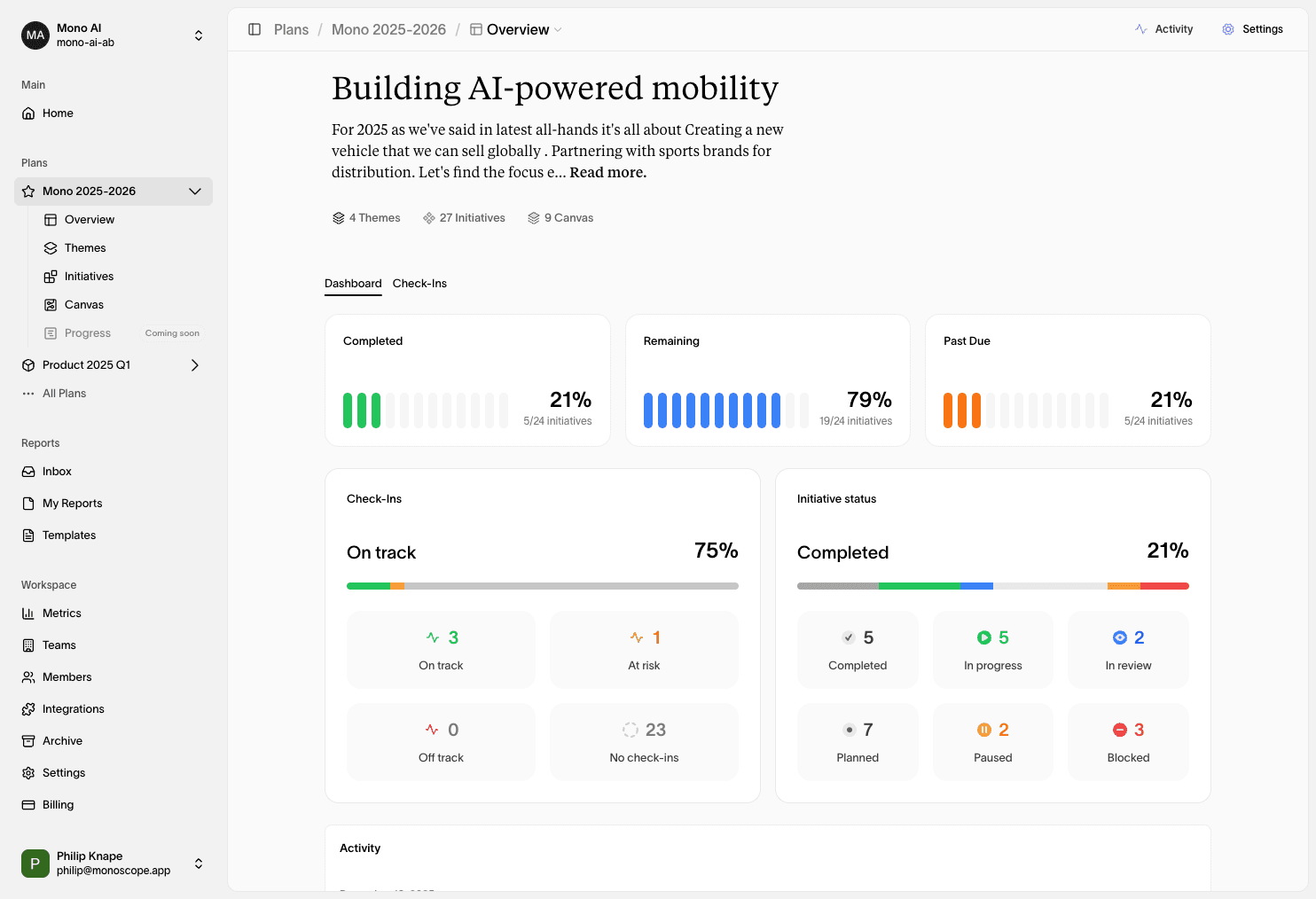
The Monoscope Plan is where teams turn strategy into structured execution. It brings together themes, canvases, initiatives, goals, and reporting in one place, so everyone shares the same priorities, timelines, and accountability.
Plans are designed to make your work actionable, not just a list of ideas, by connecting strategic intent to owners, dates, and measurable outcomes.
Why It Matters
Most planning tools split vision, work, outcomes and reporting across different systems. Monoscope Plans close that gap by letting you define why work matters, what you’ll deliver, and how you’ll track progress in a single, living plan.
Plan Structure
A Monoscope Plan is built from a few core building blocks:
- Cycles: the planning cadence for the plan, including start and end dates, and reporting cadence.
- Themes: the strategic focus areas that group related initiatives and goals.
- Initiatives: the work items that move the plan forward, including milestones.
- Canvases: the strategic focus areas that group related initiatives and goals.
Themes
Themes represent the strategic focus areas of the plan. They help you group initiatives and goals under clear objectives, making it easier to see how work ladders up to strategy.
Themes can connect directly to initiatives and goals, acting as a backbone for prioritization and review.
Canvases
Canvases are the strategic focus areas of the plan. They help you group initiatives and goals under clear objectives, making it easier to see how work ladders up to strategy.
Canvases can connect directly to initiatives and goals, acting as a backbone for prioritization and review.
Initiatives
Initiatives are the core units of work in a plan. They can represent strategic bets, projects, or operational milestones.
Each initiative supports:
- Status tracking (from draft to completed, paused, or blocked)
- Priority levels for focus and sequencing
- Ownership (individuals and teams)
- Milestones and sub-initiatives for nested planning
- Tags for cross-cutting categories
- Connected goals to anchor work in measurable outcomes
Initiatives let you see not just what you plan to do, but how it’s expected to drive results.
Cycles & Scheduling
Plans can be open-ended or tied to a planning mode like monthly, quarterly, or yearly. Each plan can define:
- Start and end dates
- Reporting cadence (daily through yearly)
- Cycle status (draft, reviewed, completed)
This helps keep planning aligned with real operating rhythms.
Views & Filters
Plans can be viewed in different contexts depending on how your team works:
- Table view for structured planning and analysis
- Kanban view for status-based execution
- Timeline view for schedule-driven planning
You can also save Plan Views with custom filters and display options, and control access (public or private) to share the right perspective with the right audience.
Collaboration & Access
Plans are shared spaces with role-based permissions:
- Owner: full control of the plan
- Editor: can create and update content
- Viewer: read-only access
Plans can be public or private, and initiative responsibilities can be assigned to individuals or teams.
Common Workflows
| Workflow | Description |
|---|---|
| Quarterly Planning | Define themes, commit to initiatives, and align teams for the next cycle. |
| Team Roadmapping | Use sections to map ownership and sequence initiatives. |
| Executive Reviews | Summarize progress with section reports and goal tracking. |
| Milestone Delivery | Use key events and statuses to manage critical launches. |
Best Practices
- Start with the brief: clarify intent before adding work.
- Use themes sparingly: 2-4 clear themes beat a crowded list.
- Connect goals to initiatives: make outcomes explicit, not implied.
- Keep statuses honest: accuracy beats optimism in planning.
- Review on cadence: use reporting schedules to keep momentum.
Plans work best when they stay alive. Revise themes, update status, and reflect what you learn.
Summary
The Monoscope Plan turns strategic intent into structured execution. It aligns teams around what matters, makes ownership clear, and keeps progress visible over time without losing the context behind the work.
Use Plans to commit, coordinate, and learn, then bring the results back to the Canvas for deeper analysis.